

The Ultimate Guide to Digital Visitor Management Systems in 2026
The Definitive Guide to Digital Visitor Management Systems in 2026
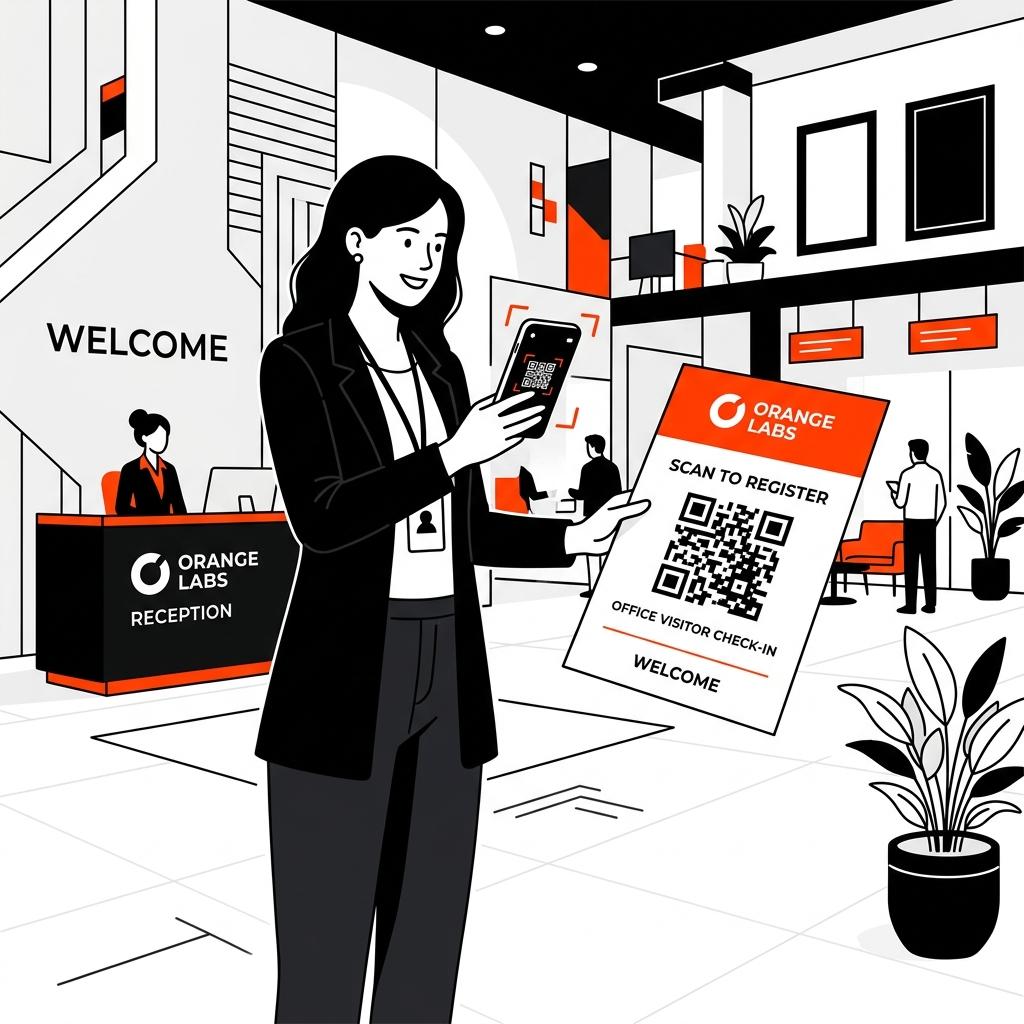
The front desk is the first point of physical contact for any organization. Yet, in many modern offices, hospitals, and manufacturing plants, this critical security check and brand touchpoint is still managed with a paper logbook on a plastic clipboard.
As compliance regulations tighten and expectations for workplace efficiency rise, organizations are transitioning from manual logs to digital visitor management systems (VMS). According to facility management operational benchmarks, manual logbooks waste an average of 3 to 5 minutes per visitor check-in, compromise data privacy, and are highly prone to data loss.
This guide provides a comprehensive overview of digital visitor management systems, evaluates the technological shift toward hardware-free QR solutions, and outlines how businesses can implement a secure, cost-effective visitor flow.
What is a Visitor Management System (VMS)?
A visitor management system is an operational framework used by organizations to track, document, and manage guests who enter their physical facilities. Guests can include clients, contractors, vendors, job applicants, and delivery personnel.
Historically, visitor management relied on paper-based visitor log books. A modern VMS automates this process through digital interfaces. The core operational objectives of a digital VMS include:
- Identity Verification: Ensuring that guests are who they claim to be.
- Compliance and Legal Audits: Documenting visitor logs, non-disclosure agreements (NDAs), safety waivers, and health declarations for regulatory inspections (OSHA, HIPAA, GDPR).
- Physical Security: Maintaining real-time dashboards of who is inside the facility in the event of an emergency evacuation.
- Operational Efficiency: Offloading manual input tasks from reception staff so they can focus on high-value guest hospitality.
The Technology Shift: Hardware Kiosks vs. QR Code Flyers
When businesses decide to go paperless, they typically evaluate two main types of digital check-in systems: iPad/hardware kiosks and hardware-free QR flyer systems.
Understanding the operational differences between these options is essential for choosing the right system for your organization.
1. iPad and Hardware Kiosks
Traditional digital VMS setups require a dedicated touchscreen tablet (usually an iPad) mounted on a stand at the reception counter.
- How it works: Visitors walk up to the kiosk, touch the screen, and manually type in their information.
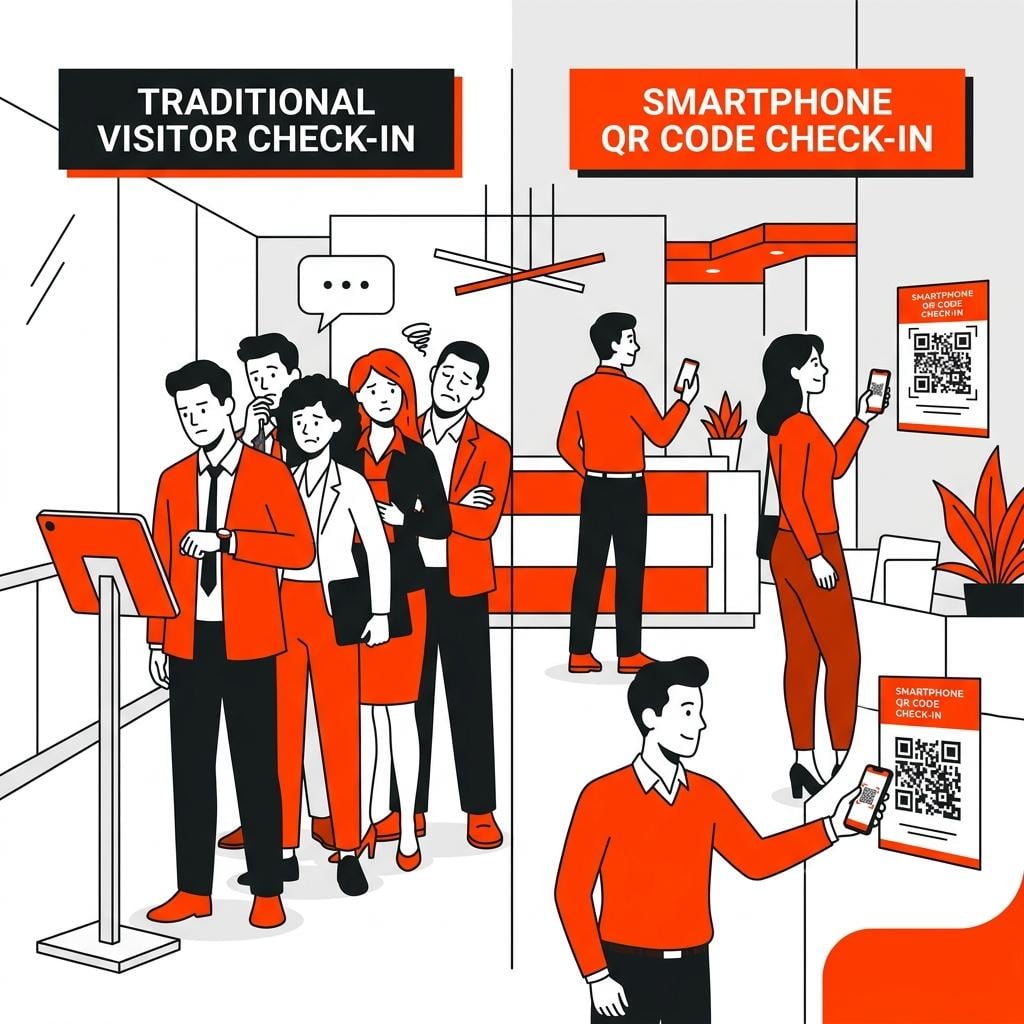
- The Bottleneck: Only one visitor can check in per device at a time. During high-traffic morning rushes, this creates lobby congestion and lines.
- Maintenance & Costs: Touchscreens require constant cleaning, software updates, and battery maintenance. Physical kiosks are also subject to damage, theft, and hardware failure, which can leave your front desk without a check-in system for days.
- Sanitation Concerns: Post-pandemic, many visitors are hesitant to touch shared public screens.
2. QR Code Flyers (BYOD Solution)
The Bring Your Own Device (BYOD) model eliminates physical kiosks by transferring the check-in interface directly to the visitor’s smartphone.
- How it works: A custom QR code flyer is printed and placed at the entry area. The visitor scans the QR code with their phone’s camera, which instantly opens a secure web-based sign-in sheet in their mobile browser—no app download required.
- Parallel Processing: Multiple visitors can scan and sign in simultaneously on their own phones, completely eliminating waiting lines.
- Zero Hardware Overhead: Because the business only needs to print a flyer, there are no hardware purchasing, maintenance, or energy costs.
- Sanitation: The process is 100% contactless and hygienic.
|
Metric |
iPad / Hardware Kiosks |
QR Code Flyer (BYOD) |
|
Upfront Cost |
$400 – $1,500 per lobby |
$0 (No hardware required) |
|
Maintenance Cost |
High (Battery, screen repairs) |
Zero |
|
Setup Time |
Hours (Hardware assembly & config) |
Under 5 minutes |
|
Queue Congestion |
High (1 person per device) |
Zero (Unlimited parallel scans) |
|
App Download Required |
No (Usually pre-installed) |
No (Opens in mobile browser) |
|
Evacuation Reliability |
Medium (Kiosks cannot be moved easily) |
High (Accessible via cloud on any mobile) |
Core Features of a High-Performance VMS
A modern visitor management system must offer more than just a digital version of a paper sheet. It must act as a secure, functional gatekeeper for your workspace.
Custom Digital Fields
Every business has unique logging requirements. A manufacturing plant may need to log a contractor’s company name and supervisor, while a medical clinic must collect patient reason-for-visit codes. A robust VMS allows administrators to customize fields to replicate their existing workflows.
Mobile Document Signing
For industries requiring legal documentation—such as NDAs for corporate headquarters, HIPAA forms for clinics, or safety waivers for industrial facilities—collecting signatures is crucial. A VMS should allow guests to read, initialize, and sign legal documents directly on their mobile screens during check-in.
In-App ID Capture
To prevent visitors from entering false names, security-focused facilities require photo ID verification. A mobile-based VMS uses the guest’s phone camera to securely capture and log their driver’s license or government ID.
Real-Time Alerts and Notifications
When a visitor checks in, the system should instantly notify the host employee via SMS or email. This minimizes guest wait times and prevents receptionists from having to manually call internal extensions.
The Compliance Angle: Meeting Regulatory Audits
A key driver for transitioning to a digital visitor management system is compliance. Regulatory bodies across different sectors mandate strict control over physical access logs.
HIPAA (Healthcare)
Under the Health Insurance Portability and Accountability Act (HIPAA), medical facilities must ensure patient privacy. Traditional paper sign-in sheets expose the names and arrival times of previous patients to anyone standing at the counter. A VMS that operates on individual patient phones ensures complete privacy, satisfying HIPAA’s administrative safeguards.
OSHA (Manufacturing and Industrial)
The Occupational Safety and Health Administration (OSHA) requires industrial facilities to maintain accurate lists of everyone on-site for emergency evacuations. In the event of a fire or chemical spill, a paper logbook left at a burning reception desk is useless. A cloud-based VMS allows safety coordinators to access the live visitor log on their mobile phones at the designated muster point.
GDPR and CCPA (Data Privacy)
Modern data protection laws grant individuals the “right to be forgotten” and require secure handling of personal data. Paper logs left in binders are visible to unauthorized eyes and difficult to selectively shred. A digital VMS encrypts visitor data and allows automatic log retention policies (e.g., auto-deleting logs after 30 days) to comply with data minimization principles.
Implementation Checklist: Transitioning to Paperless Check-In
Transitioning to a digital VMS like SigninLink can be completed in a few structured steps:
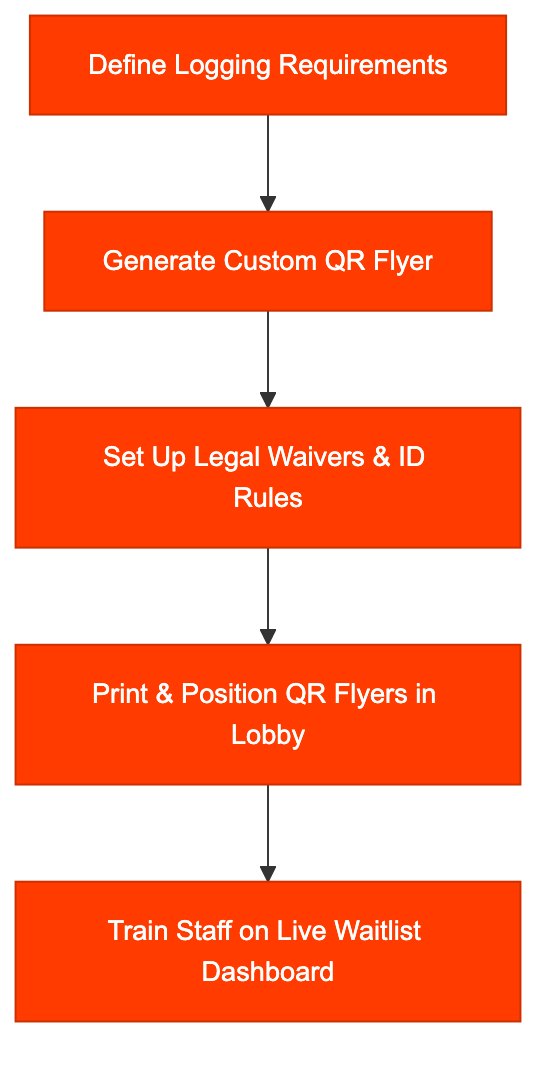
- Audit Your Current Flow: List all information you currently collect on paper. Note which fields are required for compliance (e.g., contractor hours, ID capture).
- Configure Custom Fields: Log into your VMS dashboard and set up the questions visitors must answer when scanning the QR code.
- Upload Legal Documents: If you require NDAs or safety waivers, upload the PDFs and specify where the guest needs to sign or initial.
- Print and Position QR Flyers: Place printed QR code flyers at eye level near the lobby entrance. Ensure the lighting is adequate for camera scanning.
- Staff Training: Instruct your reception and security teams on how to monitor the live waitlist dashboard on their desktop screens to see who has checked in and who is next in line.
Conclusion: Tapping the ROI of Modern Lobby Workflows
Maintaining a manual guest book or purchasing expensive, high-maintenance iPad kiosks is no longer necessary in a mobile-first business environment. By implementing a hardware-free, QR-based visitor management system like SigninLink, businesses reduce operational overhead, satisfy strict compliance audits (HIPAA, OSHA), and provide guests with a frictionless, hygienic check-in experience.
Start modernizing your front desk today. Sign up for a free trial of SigninLink and transform your paper clipboards into clean, secure digital logs in under five minutes.

