

Spotlight on Timesheet Tracking: Best Practices for Healthcare Operators
Spotlight on Timesheet Tracking: Best Practices for Healthcare Operators
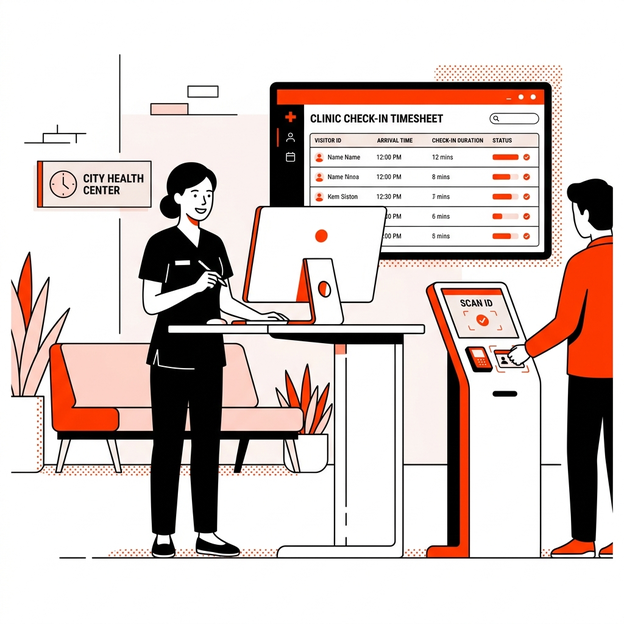
For healthcare facility operators, private practice owners, and clinic managers, front desk administration is a delicate balance. On one hand, operators must maintain a welcoming, efficient environment for patients. On the other hand, they must enforce strict security, keep accurate labor records for staff and contractors, and comply with rigid federal regulations.
One area that frequently creates operational friction and compliance vulnerability is timesheet tracking. In many clinics, tracking the hours of nursing staff, part-time therapists, medical representatives, and maintenance contractors is still done via paper logs or honor-system spreadsheets.
To solve this, progressive healthcare operators are integrating their digital patient sign in sheet workflows with staff and contractor tracking. By using a secure, hardware-free check-in system, clinics can automate timesheet logs while ensuring complete HIPAA compliance.
This guide analyzes the best practices for healthcare operators to implement secure, digital timesheet and visitor tracking systems.
1. The Administrative Burden of Manual Timesheet Tracking
In clinical settings, staff and contractors are constantly entering and leaving the facility. Medical clinics often rely on:
- Physical logbooks at the front desk.
- Manual paper punch cards.
- Honesty-based spreadsheets filled out at the end of the week.
These manual systems present three main operational problems:
- Time Theft and “Buddy Punching”: Paper logs make it easy for staff or contractors to write down rounded entry times (e.g., writing 8:00 AM instead of 8:12 AM). Over a month, this administrative slack costs facilities thousands of dollars in unworked labor.
- Audit Vulnerabilities: During inspections or payroll audits, retrieving paper records is labor-intensive and prone to filing errors. If a contractor disputes their hours or an auditor requests verification, administrators must search through physical folders.
- Cross-Contamination: Shared physical clipboards and pens are high-touch surfaces that present sanitation risks in sterile healthcare environments.
2. Integrating Visitor Logs with Staff and Contractor Timesheets
A modern check in system solves these operational bottlenecks by utilizing a single portal for both visitor logs and staff timesheets.
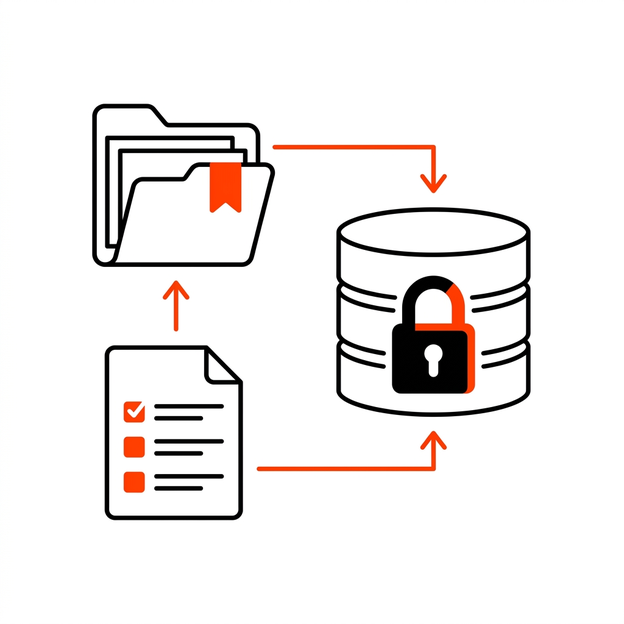
By deploying a mobile-based QR system, clinics can segment their check-in flows:
- Patients: Check in privately on their own smartphones, inputting only medical-specific details.
- Staff & Clinicians: Scan the lobby QR code to “clock in” and “clock out,” automatically registering their exact hours in a secure dashboard.
- Contractors (Nurses, IT Technicians, Med Reps): Scan the QR code to log their arrival, select their host, sign safety declarations, and clock out upon exit.
This parallel flow provides administrators with a real-time lobby dashboard showing exactly who is in the clinic, their purpose of visit, and their check-in duration.
3. HIPAA Compliance and Data Privacy Safeguards
In healthcare, patient privacy under the Health Insurance Portability and Accountability Act (HIPAA) is paramount. When deploying a digital timesheet and sign-in system:
Protecting Patient PHI
A traditional paper patient sign in sheet on the counter is a HIPAA violation because it exposes patient names and times to everyone else at the desk. The digital BYOD (Bring Your Own Device) QR check-in completely eliminates this risk by moving the input screen to the individual’s private phone.
Securing Staff and Contractor Logs
While staff and contractor timesheets do not contain patient health data, they do contain Personal Identifiable Information (PII) and payroll records.
- Encryption: Ensure the check-in system uses TLS 1.3 encryption for data transit and AES-256 for database storage.
- Role-Based Access Control (RBAC): Limit dashboard access. Only the clinic director or HR administrator should have permissions to view or export timesheet logs. Front desk receptionists should only see active lobby visitor lists.
- Audit Trails: The system must maintain a secure, unalterable audit trail of all time stamps, including IP addresses and device fingerprints to verify the location of check-in.
4. Setup Guide: Deploying a Secure QR Timesheet System
Healthcare administrators can transition from clipboards to digital timesheet tracking in four steps:
|
Step |
Action |
Detail |
|
1 |
Customize Forms |
Create separate digital check-in forms for Patient, Contractor, and Staff. |
|
2 |
Set Up Geo-Location |
Ensure the check-in requires scanning the physical QR flyer positioned at the counter to prevent remote clock-ins. |
|
3 |
Define Host Alerts |
Configure the system to send automatic email/SMS alerts to hosts when their specific contractor or rep arrives. |
|
4 |
Print Branded Signage |
Position the QR flyer on the front door and reception desk for easy, uncrowded access. |
5. Operational Checklist for Healthcare Clinic Managers
Before launching a digital sign-in system, clinic managers should execute this compliance checklist:
- Review HIPAA Authorization: Ensure patient check-in screens display a clear, concise privacy disclosure before they proceed.
- Establish Contractor Rules: Require all external contractors to sign a digital NDA during their first check-in of the month.
- Audit Staff Time stamps: Verify that staff timesheets are cross-referenced with your payroll software at the end of each pay cycle.
- Verify Data Purging: Set up automated retention rules to archive visitor histories in compliance with medical record laws (usually 6 years).
Conclusion
Operational efficiency and legal compliance do not have to conflict. By transitioning from unorganized paper logbooks and manual clipboards to an integrated, QR-based check-in and timesheet tracking system like SigninLink, healthcare operators streamline payroll accuracy, satisfy HIPAA safeguards, and deliver a modern, contactless lobby experience for staff and visitors alike.
Stay secure, compliant, and efficient. Learn more about SigninLink’s healthcare security features and start your trial today.

