
Eliminating Unorganized paper waivers and legal liability in Healthcare Lobbies: The BYOD QR Solution
Eliminating Unorganized Paper Waivers and Legal Liability in Healthcare Lobbies: The BYOD QR Solution
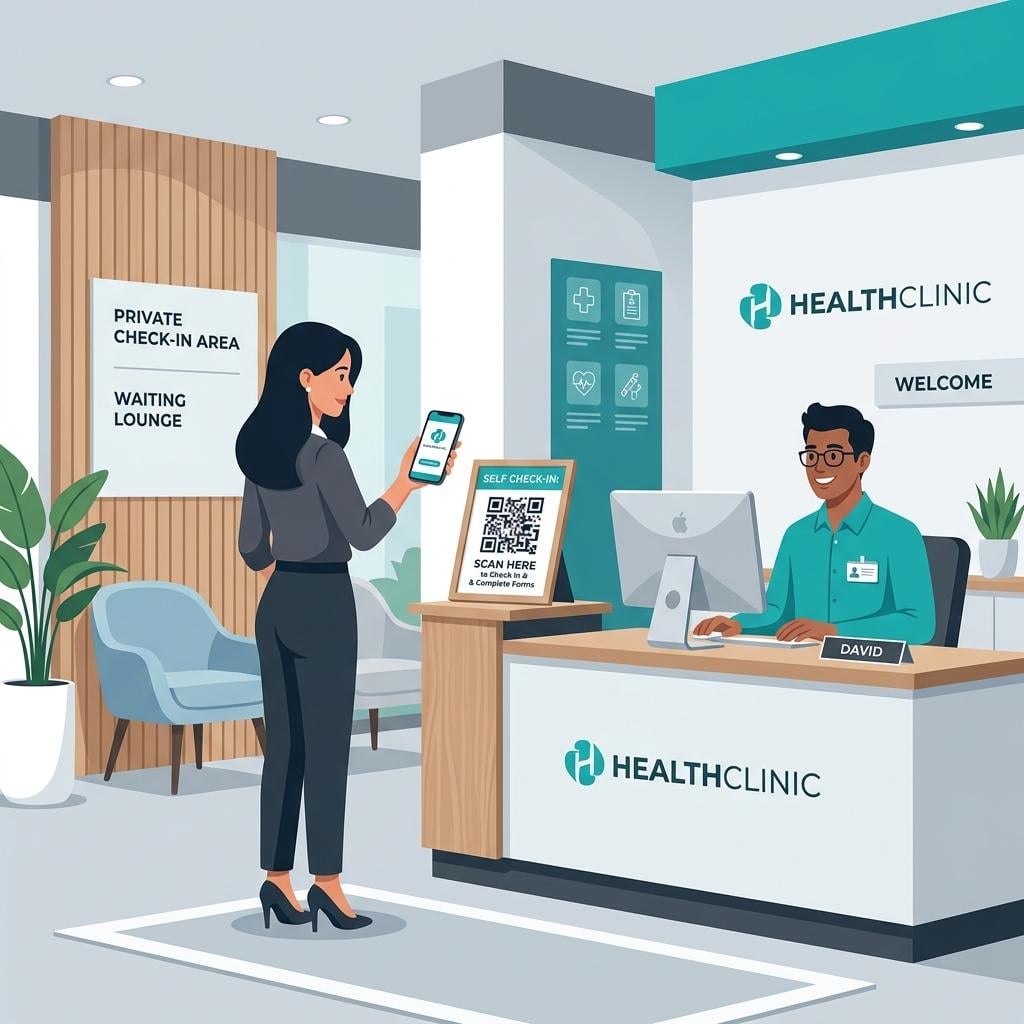
In a clinical or hospital setting, the lobby is the gateway to patient care. However, from a regulatory and legal standpoint, it is also a zone of significant risk. Every day, medical facilities collect sensitive data from patients, family members, contractors, and medical sales representatives.
For decades, the standard tool for managing this influx was the paper-based sign-in sheet on a counter clipboard, accompanied by printed liability waivers, consent forms, and HIPAA disclosure sheets.
Today, under the Health Insurance Portability and Accountability Act (HIPAA) and guidelines enforced by the U.S. Department of Health and Human Services (HHS), physical paper logs and unorganized waivers are major compliance liabilities. They expose patient names and medical details to other visitors, are prone to physical loss, and fail to provide the secure, auditable logs required during a federal compliance check.
To address these vulnerabilities, clinical administrators and medical directors are shifting toward digital visitor registration platforms. Specifically, BYOD (Bring Your Own Device) QR check in system options and digital waiver tools are emerging as the gold standard for clinical lobbies.
This guide examines the HIPAA privacy risks of paper check-ins, evaluates the legal and security requirements for digital document signing in healthcare, and provides an implementation plan for medical facilities.
1. The HIPAA Privacy Risk of Paper Check-In Sheets
The HIPAA Privacy Rule, specifically 45 CFR § 164.502, requires covered entities to take reasonable safeguards to protect Protected Health Information (PHI) from unauthorized disclosure.
The Open Clipboard Liability
When a patient walks into a clinic and signs a physical paper sheet, they write down their name, arrival time, and often their physician or reason-for-visit code. Because that sheet remains lying on the reception counter:
- Every subsequent patient who checks in can see the names and times of preceding patients.
- This physical exposure of PII and PHI is a direct violation of HIPAA’s requirement to implement physical and administrative safeguards.
- The HHS Office for Civil Rights (OCR) conducts audits and has penalised healthcare providers for failing to protect patient identity at the front desk. Fines for HIPAA violations can range from $100 to $50,000 per individual violation, depending on the level of negligence.
The Problem with Physical Waivers and NDAs
Lobbies also host non-patients, such as service contractors, equipment technicians, and delivery staff. To protect patient privacy and secure facility boundaries, these guests must sign Non-Disclosure Agreements (NDAs) or safety waivers.
- Paper waivers are often filed in physical cabinets, making them difficult to audit during inspections.
- If a contractor is involved in a security breach or patient privacy leak, locating a paper waiver signed three months prior can take hours or days, creating legal friction.
2. The BYOD QR Solution: Contactless, Private Check-In
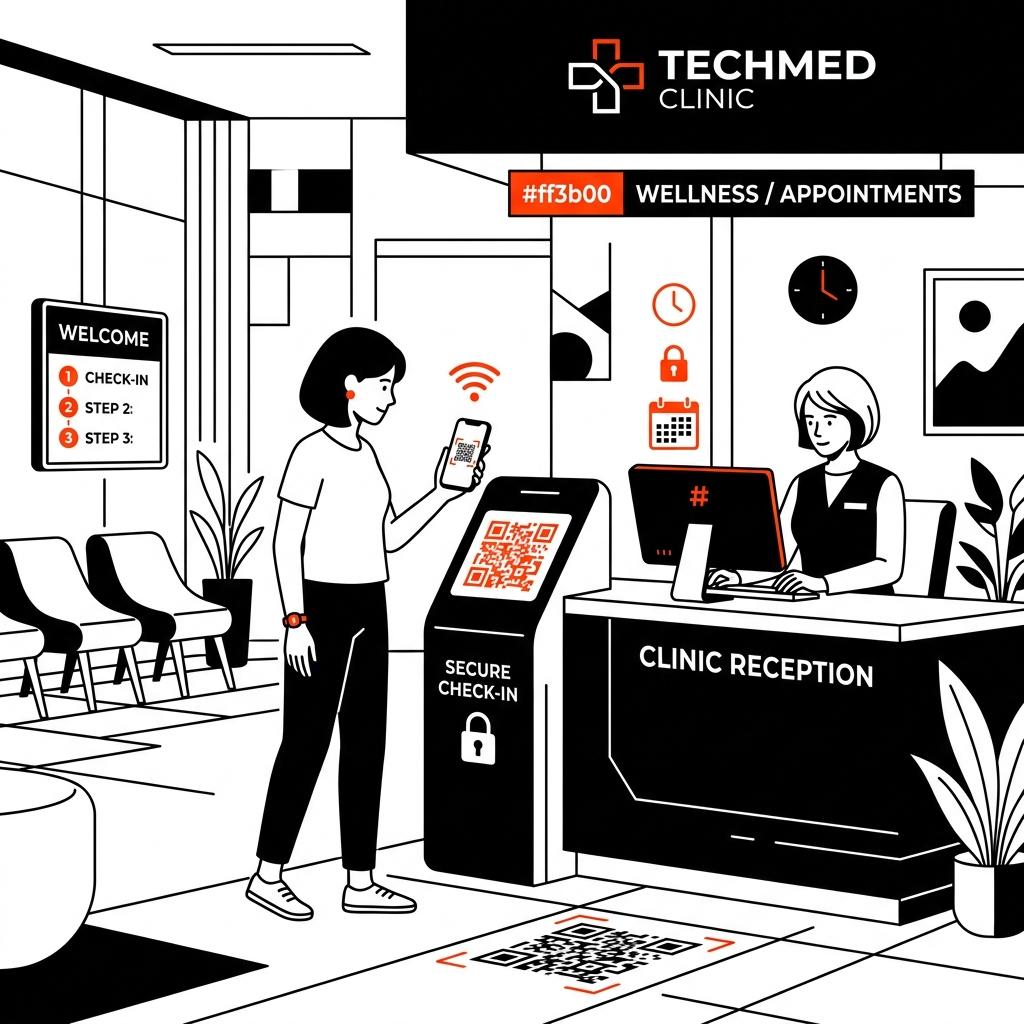
A Bring Your Own Device (BYOD) check-in flow replaces the shared reception clipboard (and expensive, high-maintenance shared touchscreens) with the patient’s own mobile phone.
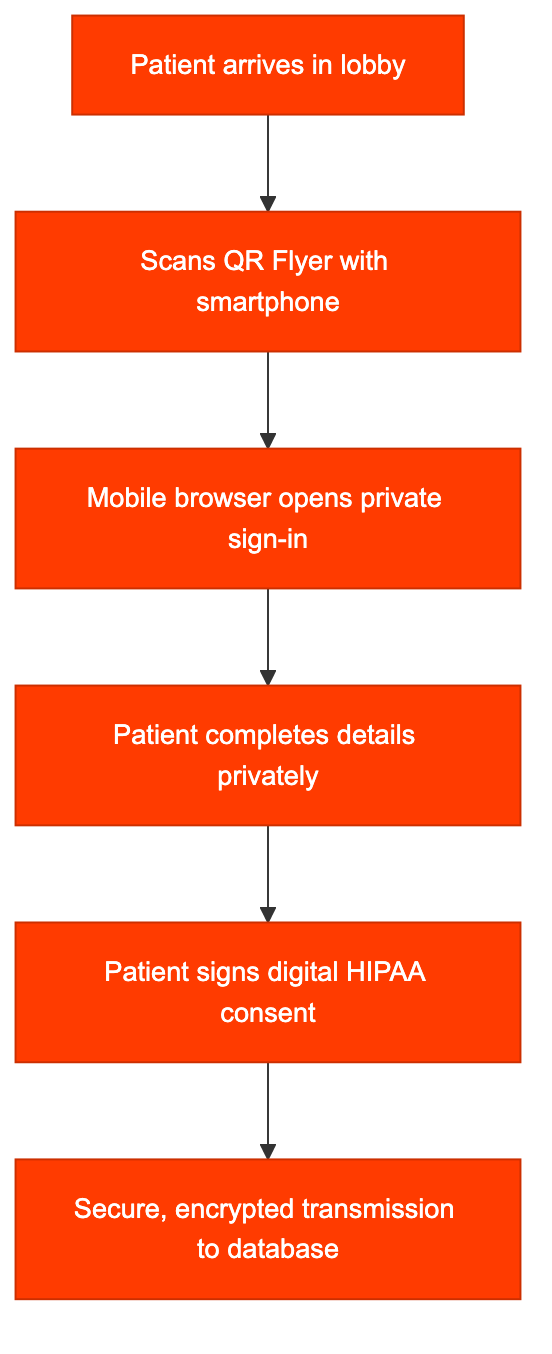
How the BYOD Flow Protects PHI
- Contactless Scanning: The clinic displays a custom QR code flyer at the entryway. The patient scans the code using their phone’s camera.
- Private Interface: The check-in sheet opens directly in the patient’s mobile browser. Because they are entering information on their personal device, no other person in the lobby can see their details.
- No App Install Required: The system operates on standard web browsers, eliminating the friction of downloading a native app.
- Automatic Data Routing: Once submitted, the check-in data bypasses the reception area entirely, routing directly to a secure, role-restricted clinical dashboard.
3. Legal and Security Requirements for Healthcare Digital Waivers
When medical clinics implement digital signature tools for consent forms or contractor NDAs, they must comply with both the ESIGN Act and HIPAA security rules.
Encryption Standards
To ensure PHI is secure, the VMS database must maintain strict encryption protocols:
- In Transit: All check-in forms and signed waivers must be sent using secure HTTPS connections using TLS 1.3 encryption.
- At Rest: Stored records must be encrypted using AES-256.
Electronic Signature Authentication
Under the ESIGN Act and UETA, a digital waiver must be cryptographically associated with the signer. A HIPAA-compliant digital signature captures:
- A drawn signature vector or typed agreement.
- The IP address and device fingerprint of the visitor’s phone.
- A precise, UTC-synchronized timestamp of the signature.
- A record of the exact text version shown to the visitor at the time of signing.
Log Retention and Data Purging
Unlike standard corporate lobbies, healthcare facilities must retain compliance records for extended periods. Under HIPAA (45 CFR § 164.316), policies, audits, and visitor consent logs must be retained for at least 6 years from the date of creation. The digital VMS must allow secure archiving that meets this retention threshold, while preventing unauthorized access through role-based permissions (RBAC).
4. Operational Comparison: Paper vs. BYOD QR in Healthcare
|
Operational Vector |
Manual Paper Check-In |
BYOD QR Check-In (SigninLink) |
|
HIPAA Compliance |
High Risk (Exposes patient log to lobby) |
Fully Compliant (Private mobile check-in) |
|
Waiver Storage |
Filing cabinets (High physical footprint) |
Encrypted cloud database (Zero footprint) |
|
Audit Readiness |
Poor (Requires manual document search) |
Excellent (Instant search by date or name) |
|
Hygiene |
Low (Shared pens and clipboards) |
High (100% contactless) |
|
Check-In Speed |
3-5 minutes per visitor |
Under 60 seconds (Parallel check-in) |
5. Deployment Guide for Clinic Administrators
To set up a HIPAA-compliant, paperless front desk check-in:
- Define Guest Categories: Create separate check-in flows for Patients, Family Members/Escorts, and Contractors/Vendors.
- Upload Compliance Documents: Load your facility’s HIPAA Disclosure and Liability Waivers into the VMS dashboard.
- Restrict Staff Access: Configure permissions so that only designated compliance officers and front desk supervisors can access or export visitor history logs.
- Position QR Signage: Print and frame QR flyers. Place them at the front entry door, receptionist counter, and seating areas to prevent lobby bottlenecking.
- Train Front Desk Staff: Teach receptionists how to monitor the live waitlist dashboard on their computer screens, allowing them to instantly see who has checked in and direct them to the correct waiting area.
Conclusion
Continuing to use paper logs or unorganized clipboard waivers in healthcare lobbies is a major regulatory risk. Adopting a secure, BYOD QR-based visitor registration system like SigninLink eliminates physical PII exposure, secures legal consent via digital waivers, simplifies compliance audits, and creates a hygienic, modern lobby workflow for patients and staff.
Bring your clinical reception into compliance. Sign up for a free trial of SigninLink and set up your secure digital check-in in under five minutes.

